From Chaos to Close: A Simple, Scalable Quoting Workflow for B2B Teams
Table of Content
A slow, inconsistent quoting process can cost you the deal, quietly. The cure isn’t another spreadsheet; it’s a clear, repeatable quoting workflow that turns requests into professional, accurate quotes in minutes, not days. This guide explains what that workflow is, how to build it, and how to keep it humming as you grow.
Key Takeaways:
- A structured quoting workflow reduces friction between sales, operations, and finance teams.
- Standardized templates improve consistency across quotes and minimize rework.
- Automated routing ensures approvals occur based on predefined margin and pricing rules.
- Integration with CRM and ERP systems accelerates quote-to-order execution.
- Scalable workflows help teams manage higher deal volumes without sacrificing accuracy.
What Is a Quoting Workflow?
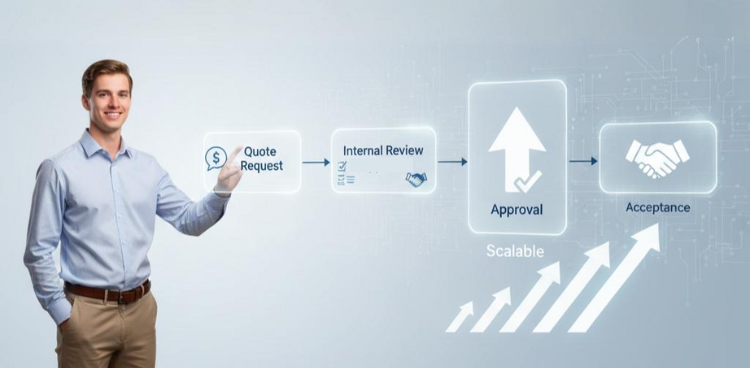
A quoting workflow is the standardized path a quote follows—from the first request to a signed acceptance. It defines the stages (draft, internal review, sent, negotiation, accepted or lost), who owns each stage, which tools are used (CRM, CPQ/quoting software, e-signature, ERP), and the rules that trigger approvals. When this path is documented and handoffs are automated, you get faster responses, fewer mistakes, and a consistently better buyer experience.
Five Signs Your Quoting Process Needs Work
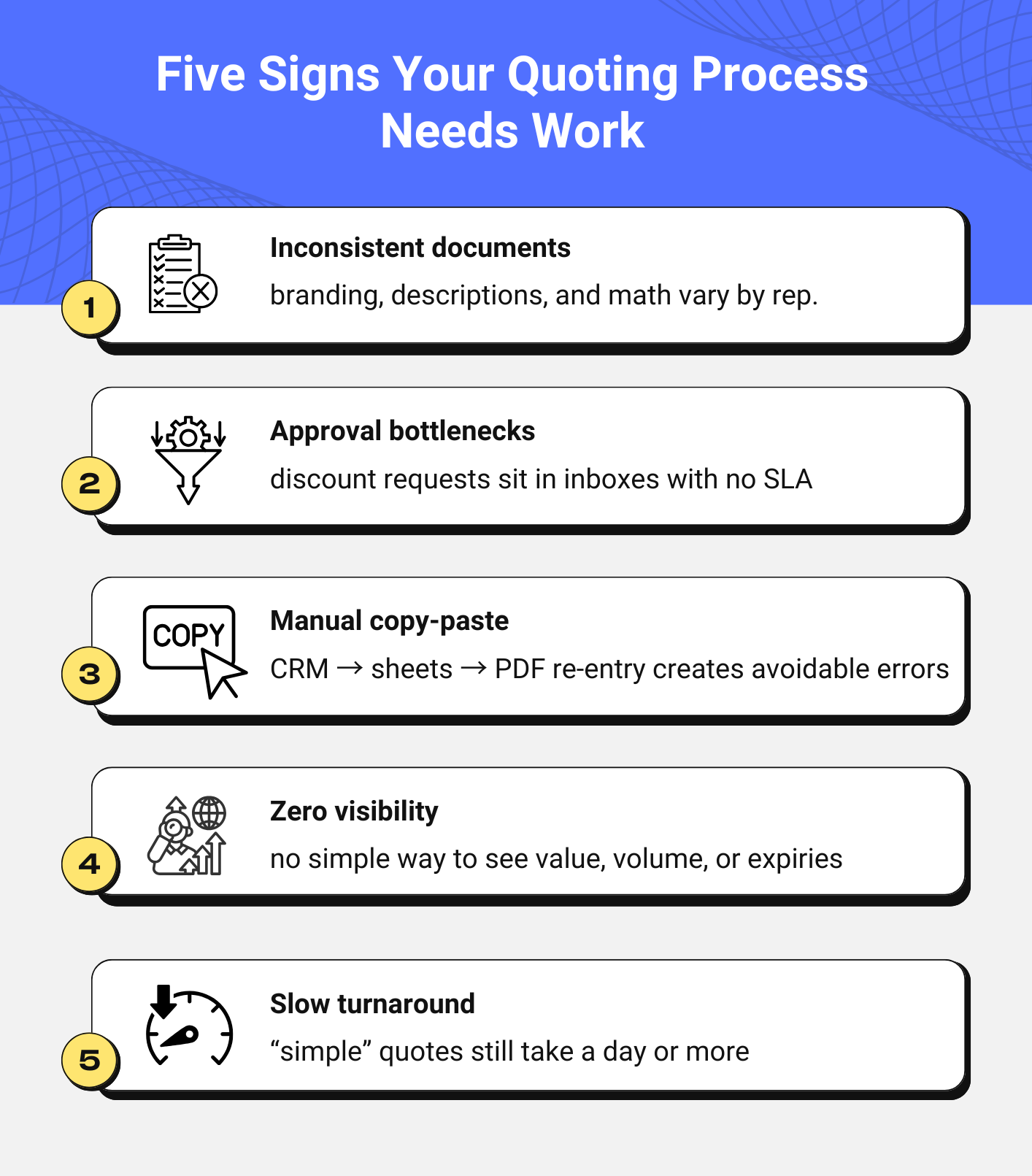
- Inconsistent documents: branding, descriptions, and math vary by rep.
- Approval bottlenecks: discount requests sit in inboxes with no SLA.
- Manual copy-paste: CRM → sheets → PDF re-entry creates avoidable errors.
- Zero visibility: no simple way to see value, volume, or expiries.
- Slow turnaround: “simple” quotes still take a day or more.
If that sounds familiar, you’re not alone—and you can fix it.
Build Your Workflow in Five Practical Steps
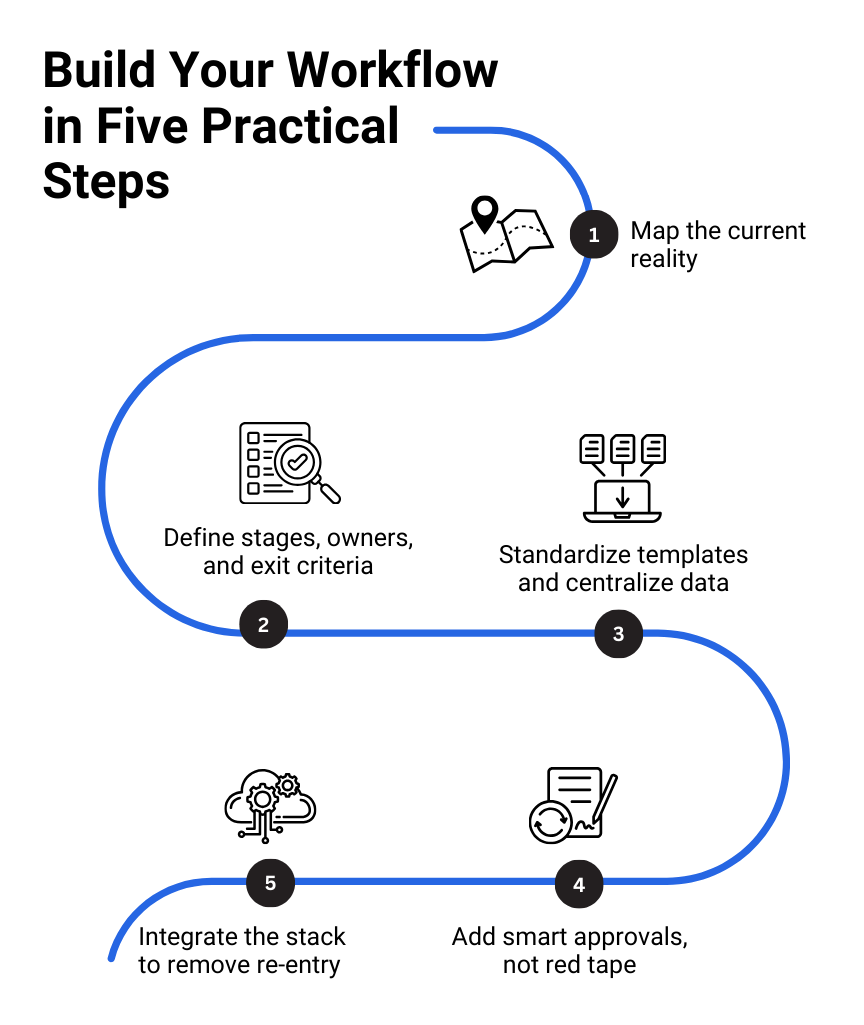
Map the current reality
Start by whiteboarding the journey from request to signature. Note where data comes from, who touches it, and where delays or errors occur. Capture the top friction points—missing product data, unclear approval ownership, or ad-hoc PDF delivery—and rank them by impact.
Pro Tip:
Document each workflow step and assign ownership to remove ambiguity in large teams.
Define stages, owners, and exit criteria
Turn your whiteboard into a living process. A rep drafts from a template and live catalog; quotes that cross discount or margin thresholds route automatically to a manager or finance; approved quotes go out with clear validity dates. Negotiations produce controlled revisions with version history. Acceptance captures an e-signature and moves the opportunity to Closed-Won; losses record a reason code so the team can learn.
Standardize templates and centralize data
Retire one-off documents. Use branded templates with itemized pricing, taxes and fees, payment and delivery terms, validity/expiry, and a clear acceptance method. Keep SKUs, specs, and pricing in a governed catalog instead of spreadsheets. Store pre-approved assets—case studies, security notes, SLAs—in a content library that reps can insert without rework.
Add smart approvals, not red tape
Approvals should protect margin and risk without stalling deals. Use clear tiers and automate routing so approvers can review from email or mobile with an audit trail. Set reminder SLAs (for example, a nudge at four hours) so quotes don’t languish.
Example tiers
- ≤10% discount: auto-approved
- 11–20%: sales manager
- >20% or non-standard terms: manager + finance/legal
Integrate the stack to remove re-entry
Connect CRM ↔ CPQ for account and opportunity data, capture e-signatures for legally binding acceptance, and create orders/invoices in ERP automatically after acceptance. Integration eliminates manual re-keying, keeps pricing consistent, and speeds cash flow.
Read the blog—Steps to Build the Most Efficient Quoting Process
Manual vs Automated- What Actually Changes
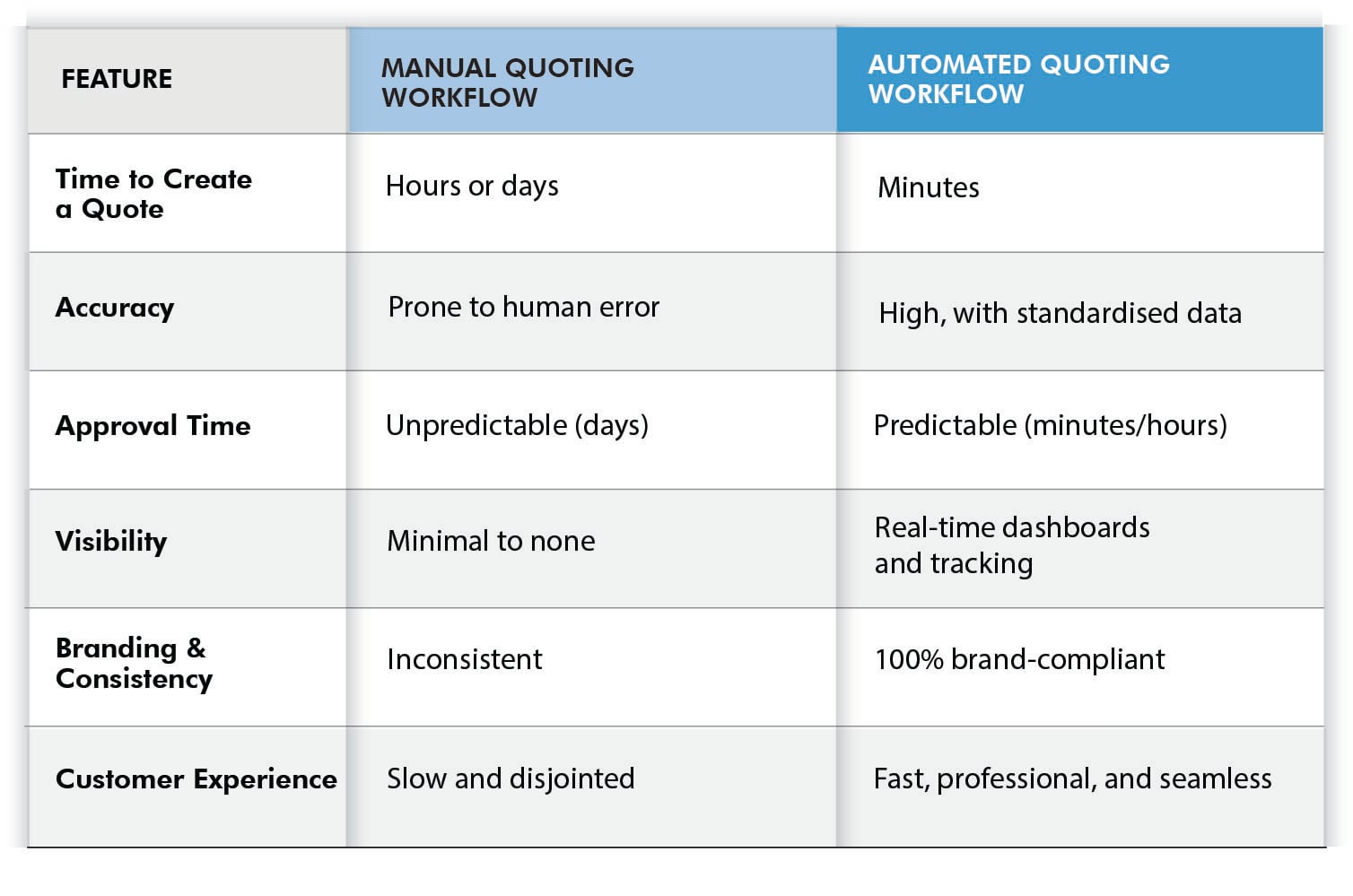
Manual quoting means hours assembling documents, days waiting on approvals, and guesswork on status. Automated quoting means templates that assemble in minutes, rule-based approvals with SLAs, and real-time dashboards. The buyer experience shifts from slow and fragmented to fast and professional, while forecasts improve because quote status lives in your CRM—not someone’s inbox.
Manual vs. Automated Workflow: A Quick Comparison
The difference between a manual, ad-hoc process and a structured, automated workflow is night and day. Here’s a quick breakdown:
Read the blog—Maintain a Steady Flow of Repeat Business with Sales Quoting Software
Make It Scalable from Day One
As quote volume and team size grow, the process shouldn’t slow down. Use a central platform for templates, catalog, approvals, and audit trails. Apply role-based access so only the right people can change pricing and terms. Automate reminders for approvals, expiry notices for customers, and renewal prompts for recurring items. Review quarterly using hard numbers- time-to-quote, approval SLA, win rate, discount leakage, to decide what to refine next.

Pro Tip:
Use performance analytics to refine workflow stages that consistently delay quote generation.
Drive Adoption So It Sticks
Rollout succeeds when reps see the win: faster quotes, fewer admin chores, more closed deals. Train with hands-on sessions and short how-to videos. Appoint a few power users as champions to answer questions and collect feedback. Leaders should model the behavior—no off-process approvals. Launch, listen, and iterate during the first 30–60 days so the workflow fits real deal cycles.
Of course. Here is a conclusion for the VARStreet blog written in the requested style:
Ready to Turn Quoting Chaos into Closed Deals?
If your quoting workflow is causing delays and errors, you’re not just losing time, you are losing customers. VARStreet’s quoting software is built for B2B teams that need to move fast without sacrificing accuracy.
From dynamic templates and automated approvals to seamless integration with your existing tools, VARStreet gives you control without the complexity of outdated systems.
- Drastically reduce quote creation time
- Automate complex approval workflows
- Empower your sales reps to create accurate quotes, every time
- Gain full visibility into your sales pipeline and quoting activity
Stop letting your quoting process be a bottleneck. Make it your competitive advantage.
Schedule a demo to see how VARStreet transforms your quoting process into a simple, scalable engine for closing deals.
FAQs
How fast should a standard quote go out?
With templates and live pricing, aim for minutes. For complex deals that need approvals, set a same-day SLA and monitor it.
Do I need CPQ, or will templates suffice?
If you sell bundles, options, services, or use tiered/contract pricing, CPQ pays off quickly. If your catalog is simple, start with templates and rules, then graduate to CPQ as complexity grows.
What must every quote include to avoid disputes?
Customer/legal entity, itemized pricing, taxes/fees, delivery and payment terms, validity/expiry, acceptance method (e-signature), and a version number. Keep all revisions and signatures in a single audit trail.
How do I prevent pricing mistakes and margin leakage?
Use a central catalog with margin floors, contract/MAP enforcement, and approval triggers for exceptions. Refresh cost/pricing data on a frequent schedule to prevent drift.
How often should prices and availability be updated for fast-moving products?
As often as your sources update. For volatile items, multiple times per day; at a minimum, daily. Show lead times and substitutes when relevant.
Can I support both eProcurement (PunchOut) and hosted catalogs?
Yes. Keep one governed catalog and pricing model. Hosted catalogs export on a schedule; PunchOut reads live data (e.g., via cXML), so contract pricing and availability stay current.
What’s the right approach to multi-currency and tax (GST/VAT)?
Lock an FX rate when you generate the quote or specify an index and validity window. Use tax engines or ERP rules to calculate GST/VAT by ship-to location and product taxability.
How should I manage amendments and version control?
Never overwrite. Create a new revision linked to the opportunity and prior quote. Require e-signature on the final version and archive earlier versions for compliance.
How do I handle renewals and subscriptions?
Track start/end dates and auto-create renewal quotes 60–90 days before expiry with current pricing and terms. Offer co-terming when multiple services are involved.
How do I manage partial shipments and backorders post-acceptance?
Reflect line-level availability in the quote. When converting to order, split lines by warehouse or lead time and keep customers updated through order status notifications.
Which metrics should leadership review monthly?
Time-to-quote, approval SLA, quote-to-close time, win rate by segment, average discount vs. policy, reissue/credit rate, and revenue influenced by quotes sent within SLA.
Expert Summary
An effective B2B quoting workflow standardizes stages, roles, rules, and tools so quotes go out in minutes with current pricing and on-brand templates. Build it by mapping the real process, centralizing the catalog and content, adding tiered approvals with SLAs, and integrating CRM, CPQ, e-signature, and ERP to remove re-entry. Measure time-to-quote, approval time, win rate, discount leakage, and error rate. The result is faster cycles, cleaner forecasts, fewer pricing mistakes, and a buyer experience that feels effortless.
Pragya Bhardwaj
Pragya Bhardwaj is a seasoned B2B content writer with a strong background in SaaS and digital commerce. She specializes in creating clear, engaging, and search-optimized content that helps businesses connect with their audiences and build authority online. With experience across blogs, whitepapers, eBooks and website copy, Pragya brings both strategy and storytelling to every piece she writes. Editorial Policy
Read More