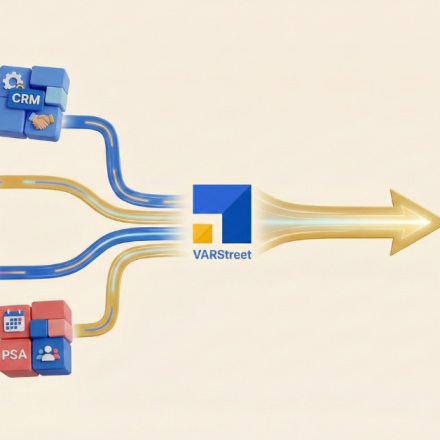
What is the Need for All-in-one Business Management Software?
Table of Content
Managing operations for a company can be a challenge in today’s fast-paced business world. From managing finances and payroll to customer service and marketing, there is a never-ending list of things to do and keep track of.
Key Takeaways:
- All in one business management software unifies quoting, CRM,eCommerceand procurement so data silos inside a VAR organization are removed.
- A single platform reduces integration complexity and licensingoverhead so total cost of ownership becomes more predictable.
- Unified systems providea single source of truth for products, customers and orders so teams work with consistent information.
- Cross module automation like quote toorder to invoice flows cuts manual re entry so cycle times and error rates drop.
- Centralized reporting across functions shows true profitability by account and product so leaders can make informed investment decisions.
This is where all-in-one business management software comes in.
By consolidating multiple tools into a single platform, these solutions can help streamline your business processes, improve collaboration, and increase productivity. In this article, we’ll explore the need for all-in-one business management software and how it can benefit your business.
What is an All-in-One Business Management Software (BMS)?
All-in-one business management software combines various tools and features into a single platform, providing businesses with an efficient and comprehensive way to manage their operations. This type of software is designed to organize and automate various business processes, freeing up time and resources for more important tasks.
Automation within business process management (BPM) is reported to save ~50% of time for 74% of IT and engineering professionals surveyed in 2024 (FortuneBusinessInsights).
This highlights the importance of adopting business management tools into operational workflows.
Core Modules/Components of an All-in-One Business Management Software
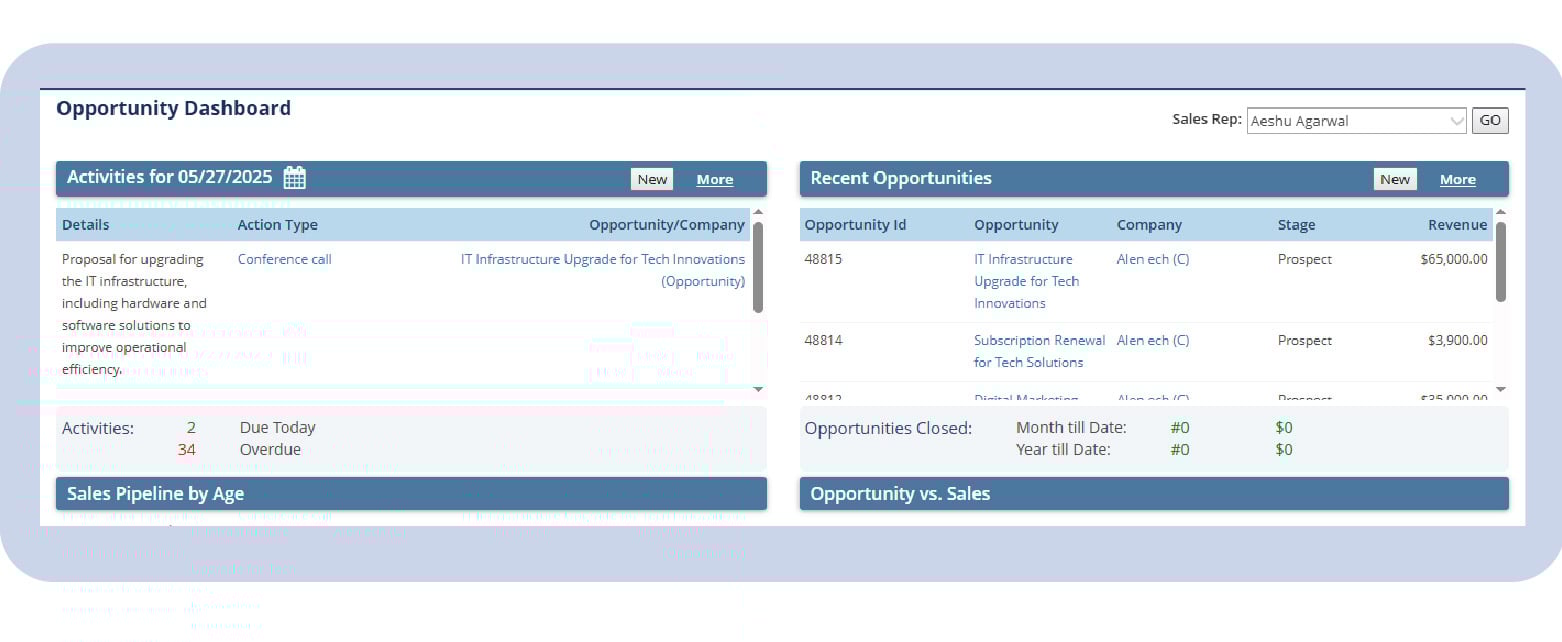
1. CRM (Customer Relationship Management)
Are your business operations spread across various standalone tools, each handling CRM, inventory, quoting, and accounting separately? It also centralizes contact information, communication history, and follow-ups, and helps boost retention, conversion rates, and customer satisfaction.
Read the blog—-What is a CRM System? A Complete Guide for Modern Businesses
2. ERP (Enterprise Resource Planning)
ERP tools integrate core business processes like finance, supply chain, and operations into a single platform. It ensures seamless data flow between departments for real-time decision-making. The software also reduces redundancy, boosts productivity, and improves resource planning.
3. CPQ Software
CPQ software eliminates the complexity of manual quoting by automating product configuration, applying dynamic pricing logic, and generating precise, error-free quotes, empowering sales teams to close deals faster and more efficiently.
It assists sales reps in closing deals faster with approval workflows and discount controls. The tool is ideal for VARs and businesses dealing with custom product offerings.
Read the blog—Configure Price Quote Software: Features and Benefits
4. Inventory and Warehouse Management
This application offers a centralized dashboard that displays live updates on stock levels, item locations, and inventory movement patterns. It enables automated stock replenishment and reduces risks of stockouts or overstocking. It also improves fulfillment accuracy and operational efficiency.
5. Order Management
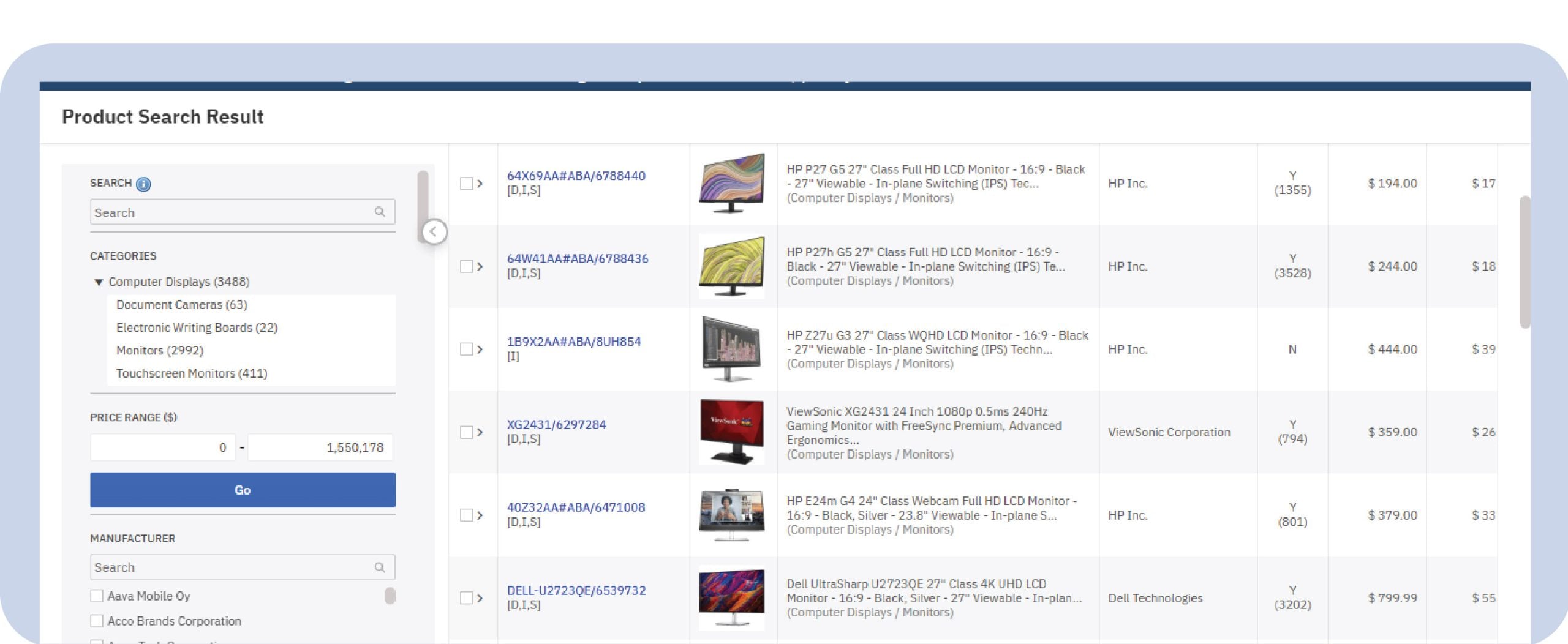
It manages the entire lifecycle of an order from quote to fulfillment to delivery and ensures timely processing, real-time tracking, and smooth coordination between sales and logistics. The application also eliminates manual errors and enhances order accuracy.
6. Finance and Accounting
ERP software merges diverse departments and processes like finance, supply chain, HR, and operations into a unified environment, helping organizations gain real-time insights and operational agility.
It supports tax compliance, budgeting, and audit readiness, and provides a real-time view of your company’s financial health.
7. Project Management
This application module enables planning, tracking, and collaboration on tasks, timelines, and resources. It also improves team accountability and ensures on-time project delivery. It integrates with other modules to align projects with business goals.
8. Purchasing and Supplier Management
This tool streamlines procurement processes and supplier relationships. It automates purchase orders, approvals, and vendor performance tracking, and ensures cost-effective sourcing and inventory availability.
9. HR and Payroll
It manages employee records, attendance, leaves, appraisals, and payroll processing. The application automates tax deductions, benefits, and compliance reporting. It is useful for businesses with growing headcounts and HR needs.
10. Customer Service and Support Desk
The module provides ticketing, case management, and SLA tracking for resolving customer issues. It enables multi-channel support, including email, phone, chat, and portals. It also improves customer satisfaction with faster, personalized responses.
11. Reporting and Business Intelligence (BI) Tools
It generates visual dashboards and reports using real-time business data, and provides actionable insights for sales, operations, finance, and more. It contributes to better visibility into market dynamics, enabling businesses to forecast demand, allocate resources wisely, and align with long-term goals.
12. eCommerce Platform (for B2B/B2C businesses)
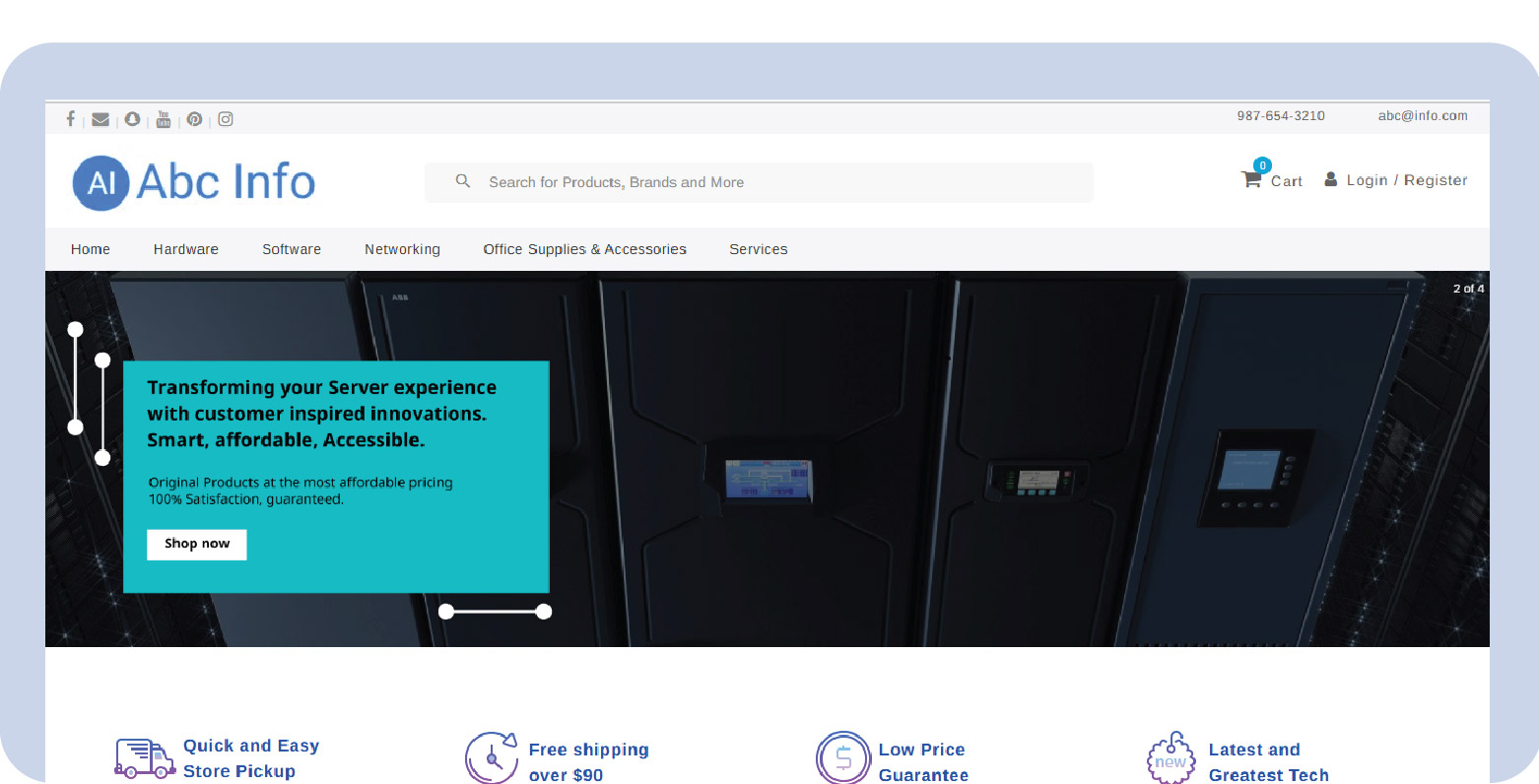
With this eCommerce platform, you can create online storefronts to handle your B2B and B2C businesses efficiently. It enables self-service portals, secure checkout, and order tracking. This software module is ideal for expanding digital sales channels and improving buyer experience.
Read the blog- How to Choose the Right eCommerce Platform?
Top Reasons Businesses Need an All-in-One BMS
1. Using spreadsheets for mission-critical operations
If your team is relying on Excel or Google Sheets to manage core functions like sales tracking, inventory management, or customer orders, it’s a clear sign your systems are outdated.
Spreadsheets are prone to human errors, can’t handle complex workflows, and are difficult to scale as your business grows. It’s time to upgrade to a solution that automates these tasks and reduces manual effort.
2. Switching between multiple tools daily
Are you using one tool for CRM, another for inventory, another for quotes, and yet another for accounting? Constantly jumping between different platforms can be frustrating, time-consuming, and inefficient. An all-in-one BMS brings everything together into one dashboard so your team can work smarter, not harder.
3. Delayed quote, invoice, or delivery processes
If it takes too long to generate a quote, create an invoice, or fulfil an order, your customers may get frustrated and leave. These delays are often caused by disconnected systems and manual processes. With an all-in-one solution, quotes, orders, and billing are seamlessly connected and processed much faster.
4. Low Productivity and Time Wastage
If your team is spending too much time on repetitive tasks or manually entering the same data in different systems, it’s a clear sign of low productivity. This not only wastes valuable time but also slows down your entire business process.
5. Difficulty tracking customer lifecycle
If you can’t easily view a customer’s journey, from their first inquiry to their most recent purchase, you’re missing out on valuable insights. An all-in-one BMS lets you follow every interaction, track communication, monitor order history, and provide better service based on real-time information.
6. No visibility into business performance KPIs
Do you struggle to get clear answers about your sales numbers, inventory status, or financial health? If creating reports takes too long or data seems inconsistent, that’s a red flag. All-in-one BMS platforms offer real-time dashboards and analytics, giving you a complete view of your business performance whenever you need it.
Benefits of using an Integrated Business Management Platform
Businesses stand to benefit greatly from adopting an all-in-one software suite. We highlight a few prominent benefits here:
1. Cost-Effective
Business Growth Brings Complexity: A successful business results from thoughtful planning and effective management. As the business expands, operations become more complex and difficult to manage manually.
Limitations of Traditional Tools: Relying on spreadsheets and documents becomes inefficient. Manual data entry and isolated workflows consume time and increase the risk of errors.
The Need for Smarter Alternatives: Businesses must explore better solutions, either implement a single integrated system or deploy multiple standalone software tools.
Pick an All-in-One BMS: An all-in-one BMS eliminates the need for several separate tools. It reduces overall IT and operational costs by consolidating functionality into a single platform.
2. Avoid Duplicate Data Entry
Duplicate data entry refers to the entry of the same data into multiple systems or databases. This can be a time-consuming and error-prone task, and it can lead to inconsistencies in your data.
All-in-one business management tools eliminate the need for duplicate data entry. The software combines numerous business functions into one platform, so you can enter data once and it will be automatically synced across all relevant systems.
By having a single source of truth, you can ensure that all of your systems are working with the most up-to-date and accurate information. This can be particularly important for businesses that rely on data to make decisions or track performance.
3. Scalability
Having all tools and functions integrated into one platform can make scaling a business easier. For a company using multiple standalone software solutions for different business functions, it can be challenging to manage and coordinate these solutions as the business grows.
All-in-one software simplifies this process by providing a single point of access for all business functions, making it easier to manage and scale the business.

Pro Tip:
Phase your rollout module by module so teams adopt the platform deeply rather than feeling overwhelmed by every feature at once.
4. Workflow Automation
Automated workflows allow businesses to set up a series of predefined steps that are triggered by specific events or actions. For example, a business may set up an automated workflow to send an email to a customer when an order is placed or to generate a notification to a team member when a task is overdue.
Automation of workflows is made easy with the integrated toolset offered by all-in-one business management software. These include:
Task management: Automated workflows can be used to manage and assign tasks, ensuring that work is completed in a timely and organized manner.
Email and communication: Automated workflows can be used to send emails or other communications to customers or team members, such as order confirmations or notifications of overdue tasks.
Data management: Automated workflows can be used to manage and organize data, such as by transferring data from one system to another or by updating data in real time.
Project management: Automated workflows can be used to manage and track the progress of projects, ensuring that work is completed on time and within budget.
5. Improved Operational Efficiency
All-in-One Functionality: A business management software solution for VARs combines inventory management, sales tracking, and invoicing into one centralized system.
No More Manual Workflows: This eliminates the need to juggle multiple platforms or rely on manual workflows, resulting in a more streamlined and efficient operation.
Central Hub for SMEs: For SMEs, business management software serves as a centralized hub for handling multiple business functions.
Less App Switching: By replacing multiple disjointed tools, the software reduces the need to switch between different applications.
Faster Data Access: It also prevents time-consuming manual data gathering from multiple sources, leading to higher productivity and faster decision-making.
6.Faster Sales Cycle
An all-in-one business management software significantly accelerates the sales cycle by streamlining the quoting process through integrated configure price quote software.
This feature enables sales teams to create accurate, professional quotes in minutes rather than hours, reducing delays and boosting responsiveness.
Additionally, with real-time access to product details, inventory levels, and dynamic pricing pulled directly from connected systems or distributors, sales reps are empowered to close deals faster and with greater confidence, ultimately shortening the path from prospecting to purchase.
7. Enhanced Customer Experience
Personalized Communication: An all-in-one BMS enables businesses to communicate with customers in a more personalized manner, enhancing engagement and relevance.
Faster Response Times: Integrated systems streamline workflows, allowing support and sales teams to respond to customer queries more quickly and efficiently.
Centralized CRM Integration: A tightly integrated CRM with support and order management modules provides real-time access to customer data across departments.
Unified Customer View: Teams can see complete customer histories, preferences, and purchasing behavior in one place, enabling more informed interactions.
Tailored Customer Interactions: This centralized data allows businesses to deliver customized experiences that resonate with individual customer needs.
Efficient Issue Resolution: Quick access to past interactions and order details enables faster and more accurate problem-solving.
End-to-End Communication: Customers stay informed throughout the entire journey—from initial inquiry to post-sale support—creating a seamless experience.
Boost in Satisfaction and Loyalty: A unified and responsive customer experience drives higher satisfaction levels and builds long-term loyalty.
8. Stronger Collaboration
With all departments operating on a single unified platform, cross-functional teams can seamlessly share information, align goals, and collaborate in real time without data silos or miscommunication.
The platform typically includes shared dashboards, task tracking features, and integrated messaging tools, allowing teams to monitor progress, assign responsibilities, and communicate efficiently, resulting in faster decision-making and improved productivity across the organization.
9. Regulatory Compliance & Audit-Readiness
With all operations running on a single platform, businesses can keep everything organized in one place. Important records like transaction logs, updates, and version history are automatically stored and easy to access.
The software can also generate compliance reports without manual work, saving time and reducing errors. This helps businesses meet legal requirements and be fully prepared when an audit happens.
10. Business Continuity and Security
With built-in cloud backups, user access controls, data encryption, and disaster recovery features, your business stays protected even during unexpected situations like system failures or cyberattacks. It also helps you move away from paper-based or manual processes, making your operations more reliable, secure, and easier to manage.
11. Improved Cash Flow Management
With all systems connected, updates to accounts receivable and payable happen in real time, giving you a clear picture of your financial health at any moment.
Invoicing, sales, and payment processes are also fully synchronized, which reduces delays, avoids errors, and ensures that money flows in and out of the business smoothly. This helps in making better financial decisions and maintaining a healthy cash flow.
Features to look for in a Good All-in-One BMS
1. Cloud-based and Mobile-friendly
A good BMS should be accessible anytime, from anywhere. Cloud-based software doesn’t require complex installations or on-premise servers. You can log in using a web browser, and your data is safely stored online. Mobile-friendliness means you can manage your business on the go using a smartphone or tablet—perfect for remote teams or field staff.
2. Role-based Access Controls
Not every employee should see or do everything in your system. Role-based access lets you control who can view, edit, or approve certain data. For example, your finance team can access billing details, while the sales team can only see customer and quoting information. This ensures data security and keeps sensitive info protected.
3. Customizable Workflows
Every business is different, and a one-size-fits-all approach won’t work. A quality BMS should allow you to design workflows that match your unique processes like how leads are handled, how quotes are approved, or how orders are fulfilled. You should be able to automate repetitive steps and create rules that speed up tasks.
Pro Tip:
When evaluating all in one platforms focus on how well they handle your edge cases like government bids or complex bundles.
4. Open API for Third-party Integrations
Your business likely uses other tools like accounting software, marketing apps, or shipping providers. An open API (Application Programming Interface) makes it easy to connect your BMS with these tools, so they work together smoothly. This reduces the need for manual data entry and keeps everything in sync.
5. AI-driven Analytics and Reporting
Modern BMS platforms often include artificial intelligence (AI) features that help you understand your data better. With AI-driven analytics, you can track performance, predict trends, and make smarter decisions. For example, it might show you which products are selling the most or alert you when inventory is running low.
6. Robust Customer Support
Even the best software needs help sometimes. Look for a vendor that offers strong customer support via live chat, phone, email, or a self-help knowledge base. Whether you are stuck on a feature or want to learn how to use something new, timely and knowledgeable support can make a big difference.
7. Real-time Updates and Notifications
You need to know what’s happening in your business as it happens. Real-time updates mean your data, like inventory, quotes, or orders, is always current. Instant notifications can alert you to important events, such as a quote approval, stock running out, or a payment received, so you can act fast and stay in control.
Wrapping Up
Having all of your important business functions consolidated into one place can greatly improve your efficiency and productivity. Now you will not have to constantly switch between different programs or struggle to remember multiple logins.
With an all-in-one solution, you can focus on what matters: running and growing your business. Plus, with all of your data and insights in one place, you’ll have the information you need at your fingertips to make informed, data-driven decisions.
Why manage 6 different tools when you can do more with one powerful platform? VARStreet unifies CPQ, CRM, eCommerce, procurement, and catalog management into a modular BMS designed for VARs and IT resellers. See how VARStreet simplifies complex operations.
FAQs
What makes an all-in-one business management solution more effective compared to using different tools for each business function?
It brings together critical operations like CRM, quoting, inventory, accounting, and project management into one platform, eliminating the need to juggle multiple software tools and reducing time and data silos.
How is an all-in-one BMS different from using multiple standalone software tools?
While standalone tools focus on individual functions, an all-in-one BMS provides integrated workflows, real-time data sync, and cross-departmental visibility, leading to improved collaboration, fewer errors, and faster decision-making.
Can an all-in-one BMS replace Excel and spreadsheets?
Absolutely. Spreadsheets may work for early-stage businesses, but become inefficient as the business scales. An all-in-one BMS offers automation, real-time updates, role-based access, and scalability that spreadsheets simply can’t match.
How does BMS help with quote generation and sales automation?
Modern all-in-one BMS solutions come with integrated CPQ (Configure Price Quote) tools that automate pricing, discounts, product configuration, and approval workflows—allowing sales teams to create accurate quotes in minutes and close deals faster.
Is an all-in-one BMS suitable for small and medium-sized businesses (SMBs)?
Yes! Most all-in-one BMS platforms are scalable and offer modular pricing or features, making them ideal for SMBs looking to grow without constantly switching tools as their business expands.
What if my business already uses other software tools? Can BMS integrate with them?
Yes. A good BMS offers an open API for seamless third-party integrations. Whether it’s your email marketing tool, payment gateway, or shipping provider, integrations keep data synchronized and eliminate double entry.
How does a unified BMS platform improve customer experience?
By integrating CRM, support, and order management, a BMS enables personalized interactions, faster support, and real-time order updates—leading to greater customer satisfaction and loyalty.
Does BMS help with regulatory compliance?
Yes, it supports audit readiness, data traceability, and automatic compliance reporting. With organized digital records and activity logs, your business is better prepared for legal audits and regulatory requirements.
Is cloud-based business management software better than on-premise?
Cloud-based BMS solutions offer greater flexibility, mobile access, real-time data, and automatic backups, making them more efficient and secure compared to traditional on-premise setups.
How does a BMS contribute to better cash flow management?
By integrating financial modules with sales and invoicing, the system provides real-time visibility into receivables, payables, and cash position, helping you make proactive decisions and avoid liquidity crunches.
What industries benefit the most from an all-in-one BMS?
Industries like IT reselling, eCommerce, distribution, manufacturing, VARs, MSPs, and project-based businesses benefit greatly, especially where cross-functional coordination, quoting, inventory, and customer management are critical.
Can I access my BMS from mobile devices?
Yes, top-tier solutions are mobile-responsive, allowing access from smartphones or tablets. This ensures business continuity, especially for field reps or remote teams.
How do I know if my business is ready for an all-in-one BMS?
If you’re dealing with data duplication, manual processes, a lack of visibility, or switching between multiple tools, it’s a strong indicator that your business needs an integrated platform to scale efficiently.
Pragya Bhardwaj
Pragya Bhardwaj is a seasoned B2B content writer with a strong background in SaaS and digital commerce. She specializes in creating clear, engaging, and search-optimized content that helps businesses connect with their audiences and build authority online. With experience across blogs, whitepapers, eBooks and website copy, Pragya brings both strategy and storytelling to every piece she writes. Editorial Policy
Read More