Q2C Bottleneck Map – Where VAR Deals Stall and How to Fix Each Stage?

Table of Content
Deal Stuck? Locate the Stage in Seconds
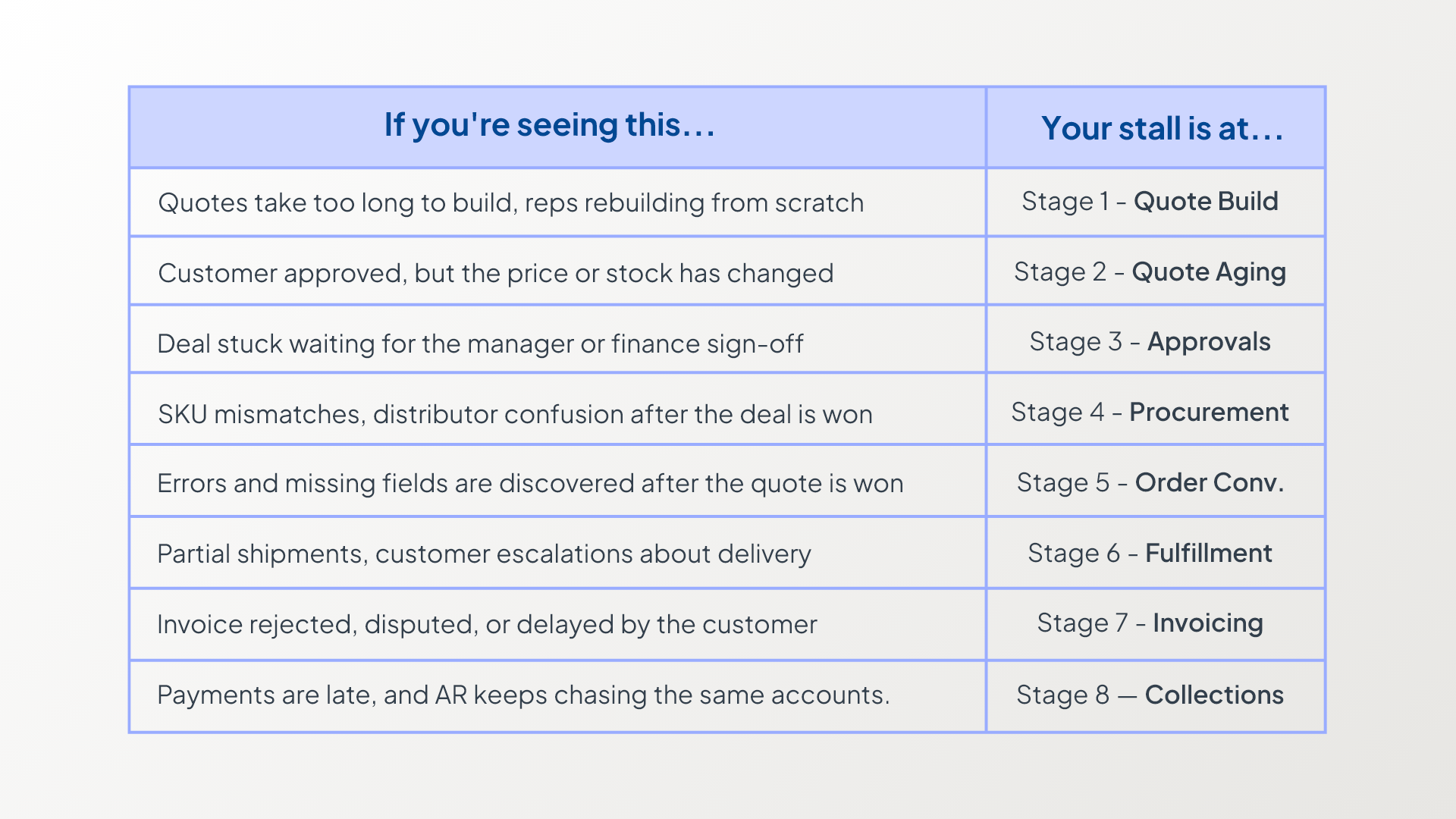
The 8 Stages of Q2C Explained
Stage 1- Quote Creation
Warning Signs:
You may notice your sales reps creating the same quotes from scratch again and again. This wastes time and slows everything down.
After you send a quote, you might realize pricing has changed. Updated lead times, freight charges, or product substitutions often appear later.
When this happens, you confuse your customer and delay your deal.
Studies show 50% of deals go to the vendor who replies first, so a slow quote process can hurt your chances immediately.
What’s Causing It:
You switch between multiple distributor portals because you don’t have one place that shows all products and prices.
Your team creates quotes differently each time, which leads to missed details. They also skip margin checks before sending the quote.
Then problems show up only after the customer reviews it.
Solution:
You can simplify quoting by using standard templates for each deal type and marking key fields as mandatory.
You should also check distributor pricing and stock while you build the quote, not after you send it. Set clear margin rules, so every quote stays profitable from the start.
When you use sales quoting software for VARs, you create quotes faster and avoid costly mistakes.
Stage 2 – Quote Aging
Warning Signs:
You send the quote, and your customer says, “Let me check internally.” Then the quote sits there for weeks without action.
When they finally respond, vendor prices may have changed, or the distributor may be out of stock.
Now you must revise the quote or explain the changes. This makes your customer question whether your original quote is still valid.
What’s Causing It:
You don’t always recheck prices or stock as the deal moves forward. You may leave line items unclear or hide freight charges.
This creates confusion and unnecessary back-and-forth.
You also fail to set a clear expiry date or follow-up plan, so your quote keeps aging without movement.
Solution:
You can prevent delays by adding recheck points to your process.
Always verify pricing and stock before you approve and send a quote. You should also review the approved quote before converting it into an order.
Set a clear expiry date and communicate it upfront. Trigger automatic follow-ups based on quote age so you don’t rely on memory. You keep your deals moving forward instead of letting them sit.
Stage 3- Approvals
Warning Signs:
You create the quote, and your customer feels ready to move forward.
Then the deal suddenly slows down. It stays in a manager’s inbox while you wait for approval.
If you make even a small change, the approval process restarts. You feel frustrated because you are ready to close the deal.
66% of sales quotes never convert into a purchase, often due to bottlenecks in pricing, approvals, or manual processes.
What’s Causing it:
You haven’t clearly defined approval rules. You don’t set proper discount limits or response timelines, so requests get stuck.
Your approvers lack context. They don’t understand why you offered a discount or how the margins look.
When you rely on long email threads, you create confusion and lose visibility.
Solution:
You can fix approval delays by creating a clear approval policy. Define who approves what, set discount limits, and establish response timelines.
Ask your reps to explain why they offer special pricing. Once you approve a price, lock it, so small edits don’t restart the process.
When you add structure to approvals, you help deals move faster and protect your margins at the same time.
Stage 4- Procurement and Sourcing
Warning Signs:
You think you’ve won the deal. Then you wait for distributor confirmation. At the last minute, you spot a SKU or UOM mismatch.
Instead of fixing it early, you scramble to correct it.
Sometimes you order a substitute product without clearly checking with your customer first. That’s when confusion begins, and you risk slowing the deal.
What’s Causing it:
Your quote items don’t easily convert into distributor-ready order lines, so you fix things manually.
You split orders between multiple distributors instead of letting your system handle them.
When products become unavailable, you make quick substitution decisions without a clear process. You rely on guesswork, and that increases mistakes.
Solution:
Before you close a deal, you need to clean up and standardize your quote lines so they stay ready for purchasing.
You should clearly define allowed substitutions and decide who approves them. Also decide when you must confirm changes with your customer.
When you set these rules upfront, you remove confusion before procurement starts.
You can also choose CPQ software for VARs with a built-in approval workflow to speed approvals and keep everything moving smoothly.
Stage 5- Order Conversion
Warning Signs:
You think the hard part is over because you won the deal. Then you start creating the order and notice missing ship-to details or wrong bill-to information.
Now you rush back to fix everything. Instead of moving forward smoothly, you handle rework right after winning the deal.
Your quick celebration turns into correction mode.
What’s Causing it:
You focus only on pricing while creating the quote and leave shipping, billing, and tax details for later.
When the deal moves forward, you rush to collect those operational details. Someone manually converts the quote into an order and re-enters the same information.
That’s when typing mistakes happen. Small errors quickly grow into bigger order issues.
Solution:
Before you send a quote, prepare it to convert into an order.
Capture shipping details, billing information, and tax data while creating the quote. When you automate the quote-to-order process, you reduce manual work and save time.
Use a validation checklist so you don’t miss important details. When you avoid retyping data, you prevent new errors.
Stage 6 — Fulfillment and Tracking
Warning Signs:
At this stage, customers ask, “Where’s my order?”
You send partial shipments but don’t clearly explain what arrived and what is still on the way. When you skip tracking updates, you create confusion.
Even small delays frustrate customers quickly. If you don’t handle them well, they turn into complaints.
What’s Causing it:
You lack real-time inventory visibility, so you work with outdated information.
You also don’t follow a clear plan to communicate delivery issues, so everyone keeps guessing.
Instead of updating customers early, you wait for them to call. You appear reactive and slowly weaken trust.
Solution:
You should tell your customer when their order will arrive and explain your partial shipment policy before you ship.
When you set expectations early, you prevent confusion.
Instead of sending updates for every minor change, reach out when something important changes. You stay proactive, reduce back-and-forth, and prevent complaints before they start.
Stage 7- Invoicing
Warning Signs:
At the invoicing stage, you may notice delays. Your customer questions your invoice or rejects it. They may deduct money without explaining why.
You keep following up, but their team says they are still reviewing it.
You expected payment by now, but instead, you keep waiting. This signals that something isn’t aligned.
What’s Causing it:
Problems start when your invoice doesn’t exactly match the quote or the PO.
You may list different freight charges, updated taxes, a changed Ship-To address, substituted parts, or partial quantities.
When you create invoices manually and re-enter data, you increase the risk of typing errors. Those mistakes delay payments.
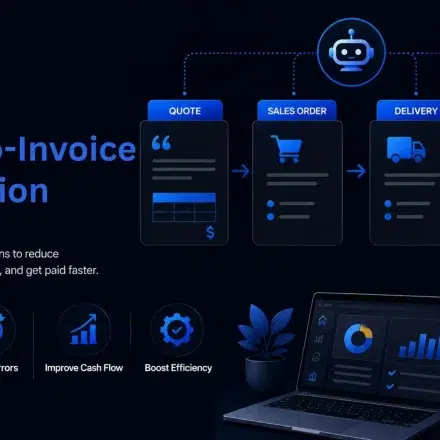
If you connect your quoting, ordering, accounting, and distributor systems into one workflow, you eliminate manual re-entry and prevent these issues.