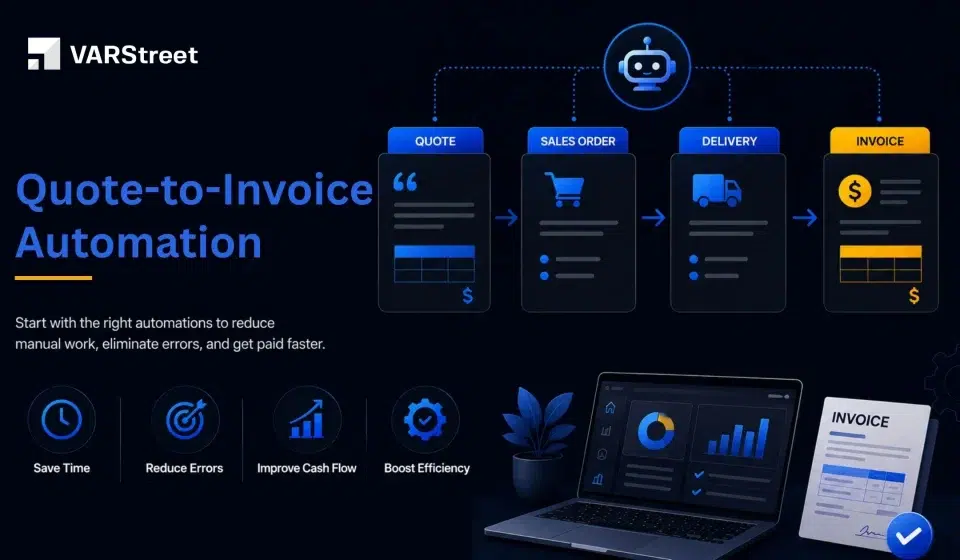
Quote-to-Invoice Automation: What to Automate First (and Why)

Table of Content
- Where Quote-to-Invoice Processes Usually Break Down
- What Should You Automate First?
- How to Measure Quote-to-Invoice Automation Success
- What to Automate vs. What to Keep Under Human Review
- How VARStreet Supports a Connected Quote-to-Invoice Workflow
- Quote-to-Invoice Automation Checklist
- Conclusion: Automate the Handoffs First
- FAQs
A customer approves your $25,000 hardware quote. The sales team marks the deal as won, but the work is far from finished. Someone still has to create the purchase order, send it to the distributor, track what ships, and make sure the customer is invoiced for the right products, quantities, pricing, freight, and taxes.
The problem is not a lack of software at each stage. It is the manual handoffs between them. In fact, 66% of AP teams still manually key invoices into their ERP or finance system, according to the Institute of Financial Operations & Leadership’s 2025 research.
For a VAR, that can mean entering information that already exists in the approved quote. A product SKU gets retyped. A discount is entered again. A quantity is changed by mistake. By the time finance creates the invoice, the data may no longer match what the customer approved.
Here comes the role of Quote-to-invoice automation. It connects these steps so approved quote data can move into ordering, fulfillment, and billing without being rebuilt at every stage. For a US or Canadian VAR working with distributors like Ingram Micro, TD SYNNEX, D&H, or Arrow Electronics, the goal is not to automate everything at once. It is to automate the handoffs that create the most rework first.
Key Takeaways:
- Automate quote-to-order conversion before tackling complex exceptions.
- Carry approved customer, product, pricing, and quantity data into billing.
- Connect fulfillment data to invoicing so partial shipments and backorders are handled correctly.
- Automate standard tax, freight, and invoice calculations.
- Keep unusual discounts, credits, and billing disputes under human review.
Where Quote-to-Invoice Processes Usually Break Down
Quote-to-invoice problems usually occur at the handoffs between sales, procurement, fulfillment, and finance—when approved quote data is re-entered, changed, or disconnected between systems.
For a detailed look at where VAR deals typically stall and how to address each stage, see our Q2C Bottleneck Map.
The key takeaway for automation is simple: fix the handoffs first. Once customer, product, pricing, and fulfillment data can move reliably between stages, you can automate the repetitive tasks built around them.
What Should You Automate First?
You do not need to automate the entire quote-to-invoice process at once. For VARs, the best approach is to start with the handoffs that create the most duplicate work and have the greatest impact on downstream billing accuracy.
A practical automation sequence can look like the following one:
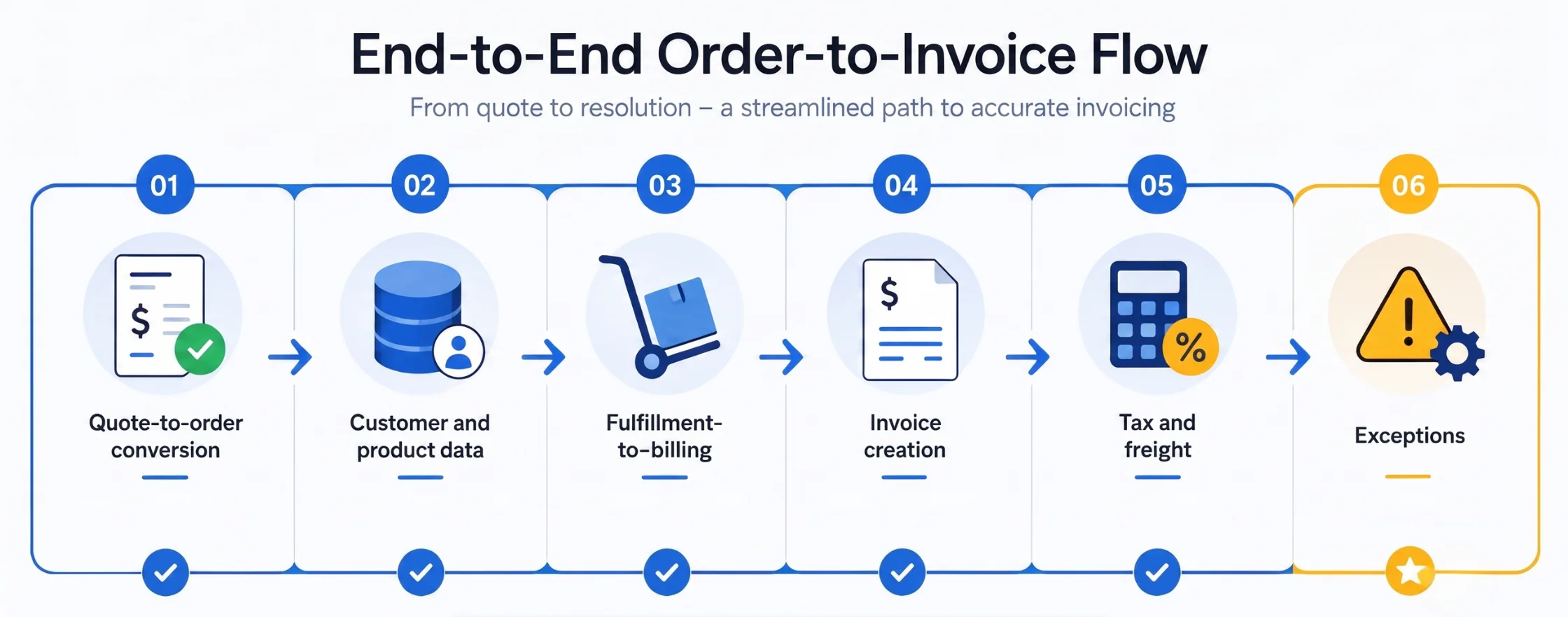
Quote-to-order conversion → Customer and product data → Fulfillment-to-billing → Invoice creation → Tax and freight → Exceptions
This order matters. Automating the standard flow first gives your team a reliable foundation before you introduce rules for less predictable scenarios.
1. Automate Quote-to-Order Conversion
Priority: Highest
Start with the handoff from sales to procurement. Once a customer approves a quote, the order should move forward without your team re-entering customer details, SKUs, quantities, pricing, discounts, or services.
For a deeper look at this stage, see our Quote-to-Order Handoff guide and Zero-Rework Order guide.
But why should you automate this first? It removes duplicate entry at the earliest handoff and gives downstream procurement, fulfillment, and billing processes a consistent order record.
2. Keep Customer and Product Data Connected
Priority: High
Once quote data has been approved, the same customer, product, quantity, and pricing information should remain connected throughout the transaction.
This is crucial when a deal includes distributor products, customer-specific pricing, or services such as installation and consulting. VARStreet supports custom products and services alongside its distributor catalog, allowing resellers to manage the complete offering in one system.
The basic rule is simple: If the data was entered once and approved, reuse it instead of entering it again.
This creates a reliable data foundation for procurement, fulfillment, and billing.
What VARStreet Customers Say:
“After using two other platforms that were nothing but headaches and having to enter data two or three times in multiple systems we came across VARStreet. VARStreet has played a big role in helping us grow by over 50% this year. VARStreet saves time for every member of our staff. Our salespeople can easily source and quote products, Purchasing can easily see real cost and availability with the ability to place orders with a few clicks and Accounting loves that all our data is synced over electronically.”
3. Connect Fulfillment Data to Billing
Priority: High for hardware VARs
Creating the invoice is only half the job. Your billing process also needs to know what actually shipped.
A distributor may not fulfill the entire order at once. Some products may be backordered, canceled, substituted, or shipped separately. If finance bills from the original quote instead of the fulfilled order, there is a chance of invoice errors.
For example, a customer approves 20 laptops. At the first shipment, the distributor ships 12 laptop and puts the remaining 8 on backorder. If your billing policy is based on shipment, your billing workflow should recognize that only 12 units are ready to be invoiced.
Automate the flow of fulfillment information into billing to make your team aware of:
- What was ordered?
- What was shipped?
- What is backordered?
- What was canceled or substituted?
- What remains to be invoiced?
This creates a more reliable quote invoice workflow. Sales does not have to chase procurement for updates, and finance does not have to manually compare the original quote with distributor records.
The key is to connect order data with fulfillment data before the invoice is created.
4. Automate Invoice Creation From Approved Order Data
Priority: High
After finalization of the order, finance should not have to rebuild the invoice manually. The invoice should pull the approved customer, product, quantity, and pricing data from the order.
For automated invoicing from quote, the workflow should look like:
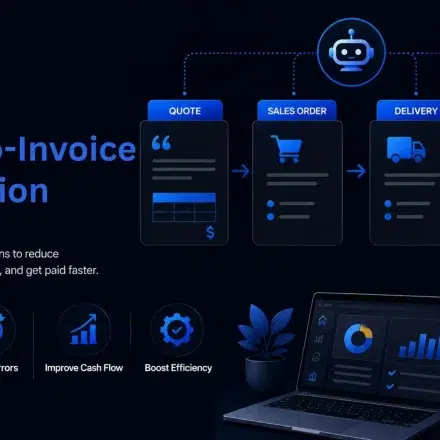
Approved quote → Order → Fulfillment → Invoice
The invoice should carry forward:
- Customer information
- Product and SKU details
- Quantities
- Selling prices
- Discounts
- Services
- Freight
- Applicable taxes
This reduces the risk of an invoice that does not match the customer’s approved quote.
However, not every invoice should be fully automated. Large discounts, unusual billing terms, credits, or other exceptions may still need a finance or sales review.
The goal is to automate the standard invoice, while routing exceptions to a person. That means fewer invoices need to be rebuilt by your finance team, giving them more time to focus on cases that actually require judgment.
5. Connect Tax, Freight, and Payment Data
Priority: Medium to High
For US and Canadian VARs, taxes, freight, and payment details can add another layer of manual work when they are calculated separately from the order. Where possible, connect these rules to the quoting and order workflow so the same transaction data carries through to billing.
This can help your team keep:
- Tax calculations consistent with the transaction
- Freight charges tied to the order
- Payment details connected to the customer record
- Customer-specific pricing consistent from quote to invoice
The goal is to avoid making finance recalculate or re-enter these details when preparing the invoice. Automate the repeatable calculations, but keep unusual charges and exceptions under human review.
6. Automate Exceptions Last
Priority: After the standard workflow is stable
A common mistake is trying to automate every quote-to-invoice scenario from the beginning. For VARs, that can quickly create a complicated set of rules around partial shipments, substitutions, negotiated pricing, credits, and customer-specific billing requirements.
Instead, establish a reliable standard workflow first:
Approved quote → Order → Distributor → Fulfillment → Invoice
Once that works reliably, add rules for exceptions like:
- Partial shipments
- Backordered products
- Product substitutions
- Price changes
- Canceled items
- Returns and credits
- Customer-specific billing requests
- Special payment or billing terms
The important distinction is that not every exception should be automated.
For example, if a distributor ships 15 of 20 units, the system can automatically identify the five unfulfilled units and keep them open. That is a predictable rule.
But if the distributor substitutes a product, the system may need to flag the change for review. The replacement could have a different cost, selling price, specification, or customer-approved configuration. Automatically pushing that change into an invoice could create a new problem rather than solve one.
The same thing can happen to negotiated pricing and credits. A standard discount that follows an approved pricing rule can be automated. A one-off discount or disputed credit may require sales or finance approval.
When a team handles multiple transactions, it become easier to identify recurring exceptions. An exception that initially requires manual review may eventually become predictable enough to automate. This lets your automation evolve based on real transaction patterns instead of trying to anticipate every possible scenario upfront.
The result is a quote-to-invoice workflow that can handle normal transactions automatically while giving your team visibility and control when something falls outside the standard path.
How to Measure Quote-to-Invoice Automation Success
Automating a quote-to-invoice workflow is not successful simply because fewer people enter data manually. The real test is whether the process moves faster with fewer errors and less intervention.
For VARs, track the metrics that show whether automation is improving the handoffs between sales, procurement, fulfillment, and finance.
Here are the key metrics that need to be tracked:
- Quote-to-order processing time: How long does it take to turn an approved quote into a distributor order?
- Manual touchpoints per transaction: How many times does someone need to re-enter, verify, or move transaction data?
- Invoice error rate: How often do invoices require correction because of incorrect pricing, quantities, products, freight, or taxes?
- Order-to-invoice cycle time: How long does it take to move from a finalized order to an accurate invoice?
- Exception rate: What percentage of transactions fall outside the standard workflow?
- Exception resolution time: How long does it take to resolve orders that require manual review?
Rework rate: How often does a transaction have to be corrected or rebuilt before it can move forward?
These metrics also help identify where additional automation is worthwhile. For example, if standard orders move through without intervention but a large percentage of transactions are being held for the same type of exception, that exception may be a candidate for a new automation rule.
The goal of the automation is not to eliminate every manual step. It is to reduce unnecessary touches, catch problems earlier, and reserve human effort for transactions that actually require judgment.
Review these metrics regularly as your workflow matures. This gives your team a data-driven way to decide what to automate next instead of adding automation simply because a task is repetitive.
What to Automate vs. What to Keep Under Human Review
Not every part of the quote-to-invoice process should run without oversight. The strongest automation strategy is to automate repeatable, rule-based work while keeping decisions that require judgment with your team.1
This distinction matters because finance teams are still spending significant time on manual invoice processing. IFOL’s 2025 research found that 66% of AP teams still manually enter invoice data into their ERP systems, and 63% spend more than 10 hours a week processing invoices.
For VARs, the opportunity is not simply to automate invoice creation. It is to remove the manual work surrounding the transaction while preserving human control where the rules are less predictable.
| Automate | Keep for Human Review |
|---|---|
| Quote-to-order data transfer | Unusual discounts |
| Customer and product data | Large pricing exceptions |
| Standard pricing rules | Complex billing terms |
| Tax calculations | Credits and disputed charges |
| Freight calculations | Non-standard substitutions |
| Standard invoice creation | Customer-specific exceptions |
| Order and fulfillment updates | Billing disputes |
For example, a standard hardware order can move from an approved quote to procurement and invoicing with little manual intervention. A $100,000 infrastructure deal with negotiated pricing and special billing terms may still need a sales or finance approval.
The rule is simple: Automate repeatable processes, not business judgment.
This approach also makes automation easier to roll out. You can automate the standard workflow first and add approval rules for exceptions as your team identifies them.
How VARStreet Supports a Connected Quote-to-Invoice Workflow
VARStreet helps connect the quoting, procurement, and order workflow so teams do not have to recreate transaction data at every stage. It combines catalog management, quoting, CRM, procurement, and B2B e-commerce on the same platform.
Its distributor integrations pull product catalogs, cost data, and inventory levels from 50+ distributors in the US and Canada. This gives sales teams access to current distributor information when building quotes.
VARStreet also supports customer-specific pricing through configurable pricing rules and profiles.
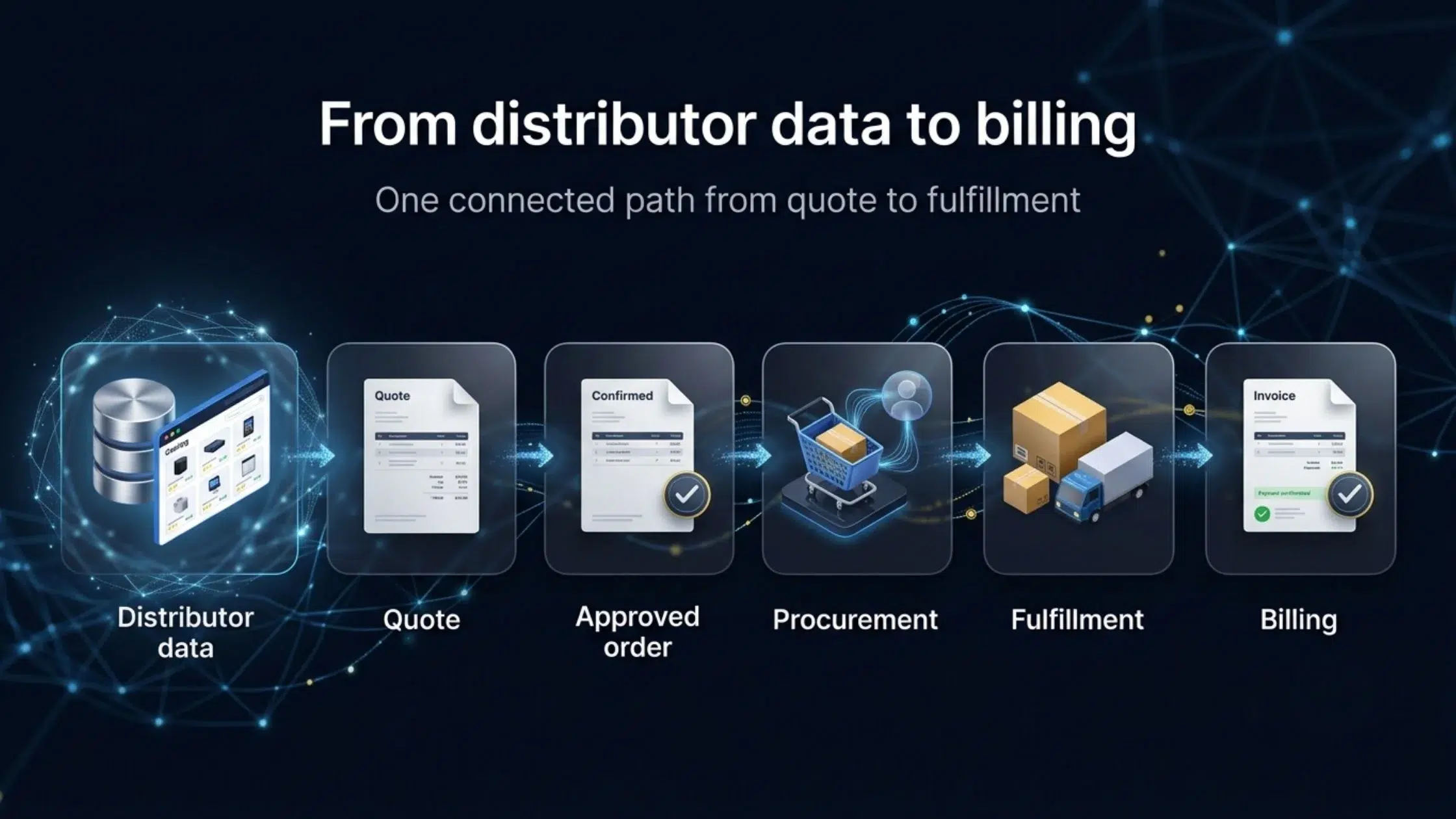
For a VAR, that creates a more connected path:
Distributor data → Quote → Approved order → Procurement → Fulfillment → Billing
The goal is not simply to automate invoice creation. It is to reduce the number of times your team has to recreate or verify the same transaction data as a deal moves from sales to finance.
Quote-to-Invoice Automation Checklist
Before automating your workflow, check whether these steps are already connected:
- Quote to order: Can an approved quote become an order without re-entering data?
- Product data: Do SKUs, quantities, and descriptions carry forward automatically?
- Pricing: Are approved prices and discounts preserved?
- Procurement: Can the order move to the distributor without rebuilding it?
- Fulfillment: Can your team see what shipped, what is backordered, and what was canceled?
- Billing: Can finance create invoices from finalized order data?
- Tax and freight: Are these calculations applied consistently?
- Exceptions: Are unusual discounts, credits, substitutions, and billing disputes routed for review?
- Audit trail: Can finance trace an invoice back to the original approved quote?
If several of these steps still depend on spreadsheets, email, or manual re-entry, those are the areas to prioritize for quote-to-invoice automation.
Conclusion: Automate the Handoffs First
You do not need to automate every part of your quote-to-invoice process at once. Start with the repetitive handoffs that create the most rework, errors, and billing delays.
Connect the standard path from approved quote → order → distributor → fulfillment → invoice. Then add automation for tax, freight, backorders, credits, and other exceptions as your process matures.
For VARs, the real value of quote-to-invoice automation is not just creating invoices faster. It is keeping the customer-approved pricing, products, quantities, and terms consistent as the deal moves from sales to finance.
Ready to connect your quoting and procurement workflow? Explore how VARStreet helps IT resellers manage catalog data, pricing, quoting, procurement, and customer orders in one platform.
FAQs
What should a VAR automate first in the quote-to-invoice process?
Start with the repetitive handoffs. Quote-to-order conversion, data transfer, and standard invoice creation are usually the best starting points because they reduce duplicate entry and errors.
Can an invoice be created automatically from an approved quote?
Yes, if your quoting, order, and billing systems are connected. The key is to carry approved customer, product, quantity, and pricing data into the order and use the finalized order as the basis for invoicing.
How should VARs handle partial shipments and backorders?
Connect fulfillment data to billing before creating the invoice. This lets your team identify what shipped, what remains on backorder, and what needs human review before billing.
Should every invoice be fully automated?
No. Standard transactions are good candidates for automation. Unusual discounts, credits, disputed charges, and complex billing terms should still go through human review.
Chayanika Sen
Chayanika is a B2B Tech and SaaS content writer and strategist with 20 years of industry experience. She specializes in writing research-backed, data-driven, and actionable long-form content. She's also a trained Indian classical dancer and a passionate traveler. When not at work, you'll either find her performing on stage or exploring new places. Editorial Policy
Read More